What Creates the Look of a CRT Screen?
A cathode-ray tube display builds an image by scanning an electron beam across a phosphor-coated screen. Horizontal scanlines and glowing highlights are familiar parts of that appearance. A shadow mask or aperture grille helps direct the beams toward the red, green and blue phosphors. Screen shape, focus and convergence also affect the picture; different televisions and monitors do not all look the same.
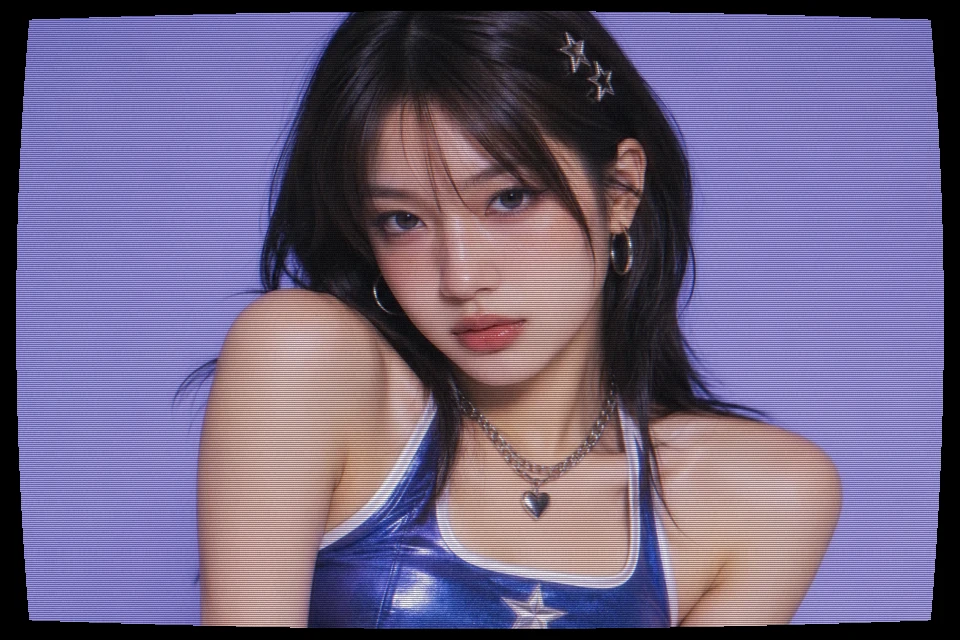
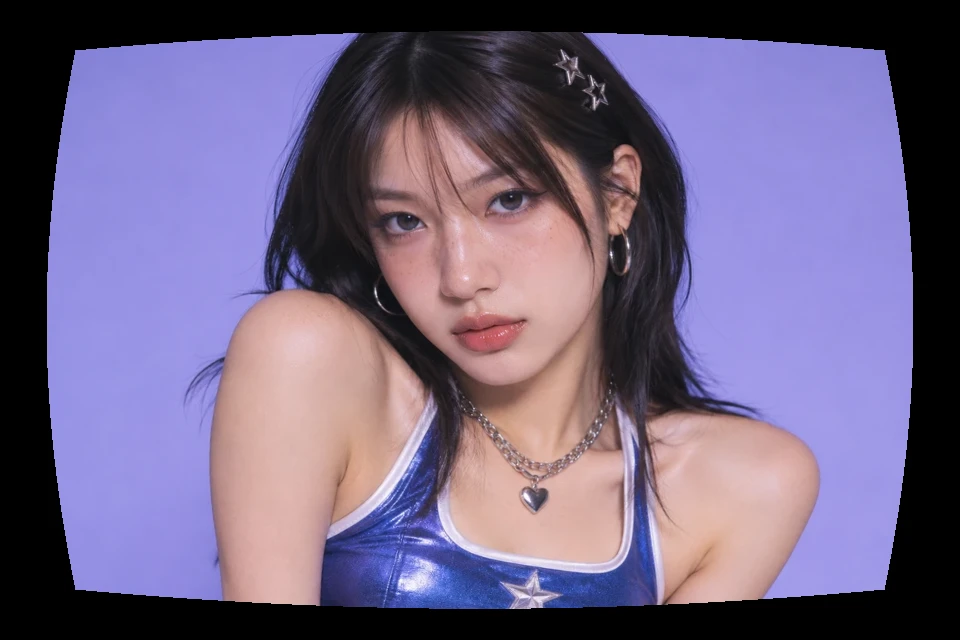
This CRT filter creates a stylized still-image version using horizontal dark bands, RGB channel offsets, curved geometry, softened highlights and grain. It does not reproduce a particular shadow mask, phosphor layout, refresh rate or monitor model. The effects are written into the image pixels, so no overlay needs aligning in another editor. The live preview uses the same encoded file as the download.
Start with Soft TV, Arcade, VHS or Neutral
Soft TV uses lighter lines and restrained glow for everyday photos. Arcade is the default: stronger scanlines, gentle curvature and visible highlights, while keeping the source image's colors. It does not turn the picture green. The VHS preset increases noise and RGB offset for a rougher screen look; it is still a CRT treatment and does not simulate tape tracking errors. Neutral sets every effect to zero so you can build a look from scratch.
A preset replaces all five parameter values. Subsequent adjustments always start from the uploaded source, so changing presets never stacks damage from a previous render. Reset returns to Arcade. Show original is a preview comparison; it does not change your settings or switch the download to the untouched photo.
CRT Filter vs VHS Filter
The terms overlap because a VHS tape was often watched on a CRT television, but they describe different parts of the chain. CRT is the display: scanlines, screen curvature and phosphor glow. VHS is the recording medium: horizontal color bleed, tape noise, dropouts and tracking problems. Use this page when the screen is the point. For a worn recording and an optional camcorder date stamp, open the VHS filter. You can also use the pixelate image tool for large square blocks rather than a television texture.
How to Use the CRT Filter
- Choose a photo. Upload, drop or paste an image, or try the portrait sample.
- Set the screen look. Pick a preset, adjust the five controls and use Show original to compare.
- Download. Choose PNG or JPG. Check the actual dimensions and file size, then save.
Download at Your Original Resolution
Accepted files are JPG, PNG and WebP up to 10 MB, 24 megapixels and 16,384 pixels per side. The tool preserves accepted input dimensions. Large images need more browser memory and take longer to render. If processing or export fails, the page reports an error so you can choose a smaller source.
PNG suits screenshots, transparency and sharp graphics, though the added texture can make it much larger than an original JPG. JPG suits photos when file size matters and fills transparency with white. Curvature adds black corner padding in either format. Check the saved image at its intended display size before posting.
Where a CRT TV Filter Works Best
Game artwork, retro thumbnails, music covers and bright graphics tend to make the screen texture easy to see. For a portrait, keep color offset and noise low enough that the face remains readable. For text, inspect the final size rather than relying on a reduced preview: scanlines that look subtle on a large monitor can overpower small lettering after a platform resizes it.
This is a static image tool. It does not produce rolling scanlines, a flickering video, a monochrome green monitor mode or a television frame. Those visual choices are separate from the five controls here. Start with a clear photo, use only as much texture as the composition needs, and compare the exported file before posting.
CRT Filter FAQ
What is a CRT filter?
A CRT filter simulates the look of a cathode-ray tube display on a still image. It adds visible scanlines, softened highlights, slight RGB separation and optional screen curvature. This tool writes those changes into the downloaded image.
How is a CRT effect different from a VHS filter?
CRT describes the display; VHS describes a recording format. CRT scanlines and phosphor glow come from the screen. VHS color bleed and dropouts come from tape. For tape-style damage and a date stamp, use the VHS filter linked above.
Will the download have the same resolution as my photo?
Yes. Accepted images are processed and exported at their original pixel dimensions. Inputs are limited to 10 MB, 24 megapixels and 16,384 pixels per side. A browser memory or export failure is reported rather than silently reducing resolution.
Does Neutral remove every effect?
Neutral sets all five controls to zero. PNG preserves the decoded input pixels, including transparency. JPG still re-encodes the image and places transparent pixels on white, so it is not a byte-for-byte copy of your original file.
Is this an animated CRT overlay?
No. The result is a still image with a fixed scanline and grain pattern. It does not flicker, roll, animate or create a video. The comparison button changes only what you see in the preview, not the exported result.
Are my images uploaded or watermarked?
Image processing runs locally in your browser. Your image files are not sent to our server, and exported images have no added watermark. You can use the tool without creating an account.