
Sepia Filter
Turn a color photo into warm sepia tones. Choose a subtle tint or a full brown-toned print, with an original preview beside your result.

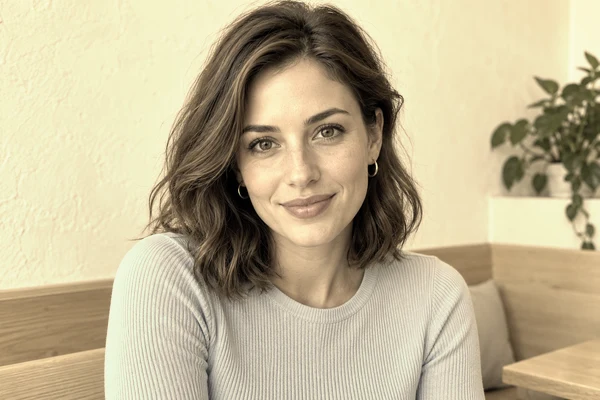
Preparing sample…
How to Use the Sepia Filter
Upload a photo or try the sample. Adjust sepia strength, check the original and result side by side, then choose a format and download.
Create a Sepia Tone Photo
What Is Sepia Tone?
Sepia tone is a warm brown color treatment associated with older photographic prints. In digital editing, it is a way to shift a picture toward a brown palette while retaining the light and dark structure of the scene. This sepia filter blends a warm color transformation with your original photo. It does not repair damage, restore missing detail or recreate the chemistry of an antique print.
At a low strength, some original color remains and the photo picks up a subtle warm cast. At higher strength, the browns become more dominant. Bright areas can lose color separation sooner than darker areas, so compare pale skin, white clothing and sunlit walls with the original before deciding on a setting.
Why Sepia Looks Brown
Traditional sepia toning converts metallic silver in a photographic print into silver sulfide, producing a brown image. The warm color comes from that chemical treatment, rather than simply from a photograph getting old.
A digital sepia filter does not change photographic chemistry. It transforms red, green and blue pixel values into a warm palette and blends that result with the original according to the strength setting. The familiar brown look is reproduced on screen without adding paper texture or restoring a damaged print.
When a Sepia Filter Works Well
Portraits and family photo layouts
A brown-toned portrait can sit comfortably beside older family photographs in a collage or album. Start with a moderate strength to keep differences between skin, hair and clothing visible. If the original already has strong orange lighting, a gentler setting may give a clearer result than a full sepia treatment.
Architecture, travel and still life
Buildings, wood, stone and objects with distinct light and shadow often remain readable after the colors are simplified. Sepia can help a set of travel photos share a common mood, but it also removes useful differences between similar colors. Check details such as brickwork, signs and overlapping leaves rather than judging only the overall warmth.
Consistent illustrations and backgrounds
A lower strength can bring an image closer to a warm page or scrapbook palette. Check it beside the actual surrounding colors before exporting: a treatment that looks gentle against white may look much stronger beside a cream background. For a limited, graphic color palette instead of a brown tint, try Posterize Image.
Sepia vs Black and White vs Vintage
| Treatment | What changes | Useful for |
|---|---|---|
| Sepia | Shifts colors toward warm browns while retaining light and dark structure. | Family albums, warm portraits and coordinated scrapbook images. |
| Black and white | Removes color in favor of neutral gray tones. | Emphasizing shape, texture and contrast without a warm tint. |
| Vintage | A broader style that may combine faded color, grain, softness or camera-specific effects. | Recreating a particular camera era or a more textured retro look. |
Sepia and black and white do not automatically add scratches, paper texture, flash lighting or a date stamp. For camera-specific styling beyond a brown tint, use Old Camera Filter.
Color inversion is a different operation: it reverses color values instead of warming them. Use Invert Image Colors when you want a negative-like effect. Pick the operation for the visible result you need, rather than treating every retro-looking effect as interchangeable.
Choose a Format for Your Sepia Photo
PNG keeps transparent areas and avoids lossy image compression. JPG fills transparent areas with white and is useful for ordinary opaque photos. WebP also supports transparency in this editor. The tool shows the actual encoded result before enabling Download; changing the format can change file size and fine detail.
Photos larger than 2,400 pixels per side use a proportionally smaller working copy. Check the dimensions beside Download if you are preparing a print or a layout with specific pixel requirements. The complete image remains visible, and the effect does not crop the frame.
What Color Is Sepia?
Sepia is a warm brown. A commonly used sepia color reference is #704214, but it is not a universal value for photographic sepia or the color every pixel takes at full filter strength. A sepia image contains a range of light and dark tones, from pale tan to deep brown. Historical print tones vary with the photographic material and toning process.
This digital filter transforms the photo's red, green and blue values into a warm palette, then blends that result with the source according to the strength control. It does not paint the whole frame with one hex color. The source's brightness and colors affect the result, and bright areas can lose color separation as transformed channels reach their maximum values.
If you need a particular brown for a design, compare a reference swatch beside your sepia photo. The same color can appear different against a cream page and a white one. Use the preview to choose the photographic treatment rather than expecting the strength slider to select a fixed color code.
Sepia Filter FAQ
How is sepia different from black and white?
Sepia replaces the original colors with warm brown tones. A lower strength blends those tones with the original colors.
Can I keep a subtle effect?
Yes. Move Sepia strength toward zero for a light tint; zero keeps the original pixels before export encoding.
Will my photo stay the same size?
Images up to 2,400 pixels per side keep their dimensions. Larger images use a smaller working copy. JPG uses a white background for transparency; PNG and WebP retain it.
What color code is sepia?
A common reference is #704214, a warm brown. It is a color swatch, not the fixed output of this filter. The photo retains a range of light and dark tones; lowering strength blends more of its original colors back in.
Why does sepia look different on my photo than in an example?
The transformation acts on the colors and brightness already in your photo. Warm lighting, cool shadows and bright highlights therefore produce different results at the same strength. Compare with the original and lower strength if skin, white clothing or sunlit areas lose too much separation.